Every weekend I am faced with the same procedure of planning my groceries for the whole week. Since I got myself a Thermomix, I am able to plan my week ahead via their Cookidoo app.
Cookidoo is the companion app to the Thermomix. It has a big selection of recipes that you can access through a web app, mobile app or the Thermomix directly. These recipes can be filtered, marked as a favorite, sorted into custom lists or directly added to your Cookidoo calendar. The idea behind that calendar is to plan for your upcoming days with Cookidoo recipes.
Furthermore, from each recipe you can add all required ingredients to the Cookidoo groceries list. All ingredients for all the recipes can then be aggregated.
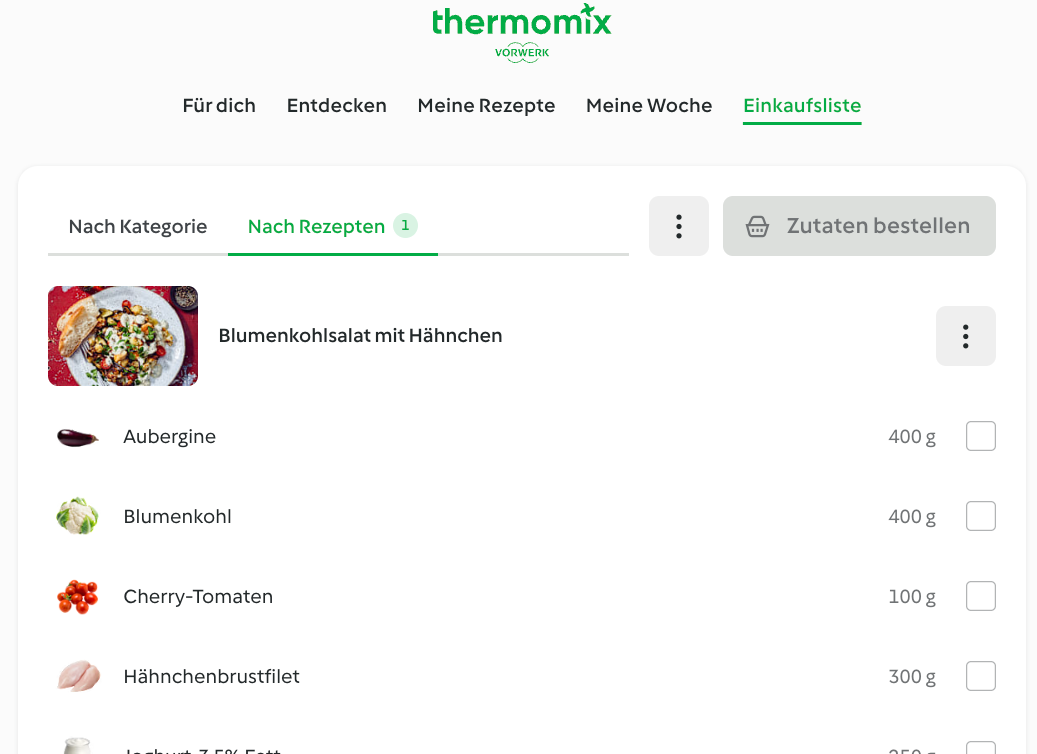
The Cookidoo grocery list with all ingredients
My current workflow each weekend looks like this:
- Look for recipes to cover the upcoming week
- Add one recipe for each weekday
- For each recipe I click “Add to groceries list”
- Double check my local inventory with the aggregated groceries list
While Cookidoo does offer the option to order groceries directly from the shopping list, it’s not very helpful for me for two reasons. First, I only have pre-selected delivery services available through Cookidoo. Second, it tries to automatically select the items. This works reasonably well in practice. However, I prefer to select my items myself based on price and type. Especially for animal products, it’s important to me that they are organic.
So every weekend I am left with the cumbersome task of searching for every item in Knuspr and adding it to the cart. That is a lot of back and forth switching between tabs and copy pasting. As an excited software developer using AI this seemed to be a good use case to overengineer a stupid periodic task.
Let Claude cook
My initial prompt for Claude was (in German):
Ich brauche eine Chrome Extension, die meine Cookidoo Einkaufsliste in den Knuspr Einkaufskorb konvertiert. Also pro Artikel auf der Einkaufsliste soll in Knuspr gesucht werden. Es soll anschließend nach Preis-Leistung sortiert werden und evtl. Bio. Welche Probleme sind dafür zu lösen?
Claude directly searched for the Knuspr webpage and tried to understand how it is working. And left me with a ready to go version of a Chrome extension. By surprise it worked directly out of the box. No errors and a straightforward UX.
It added a new button to my Cookidoo groceries list that syncs all items to the extension’s intermediate list. After that it directly prompts you to open Knuspr.
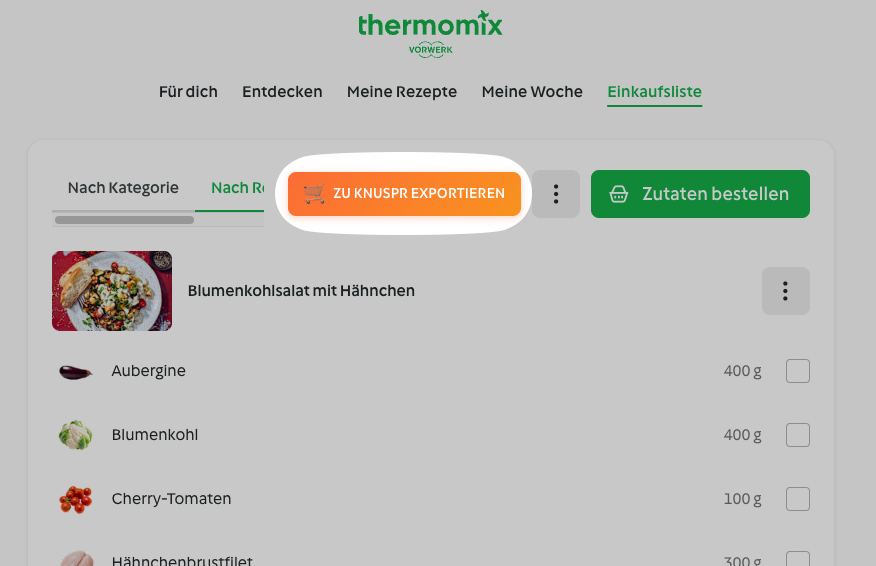
The extension’s sync button on the Cookidoo page
Advanced grocery shopping
On the Knuspr webpage it opens a new sidebar with the imported Cookidoo grocery list. Each item has a lookup button which would perform the search on the page. After finding the item you’re looking for, it can be checked and look for the next item. This goes on until your grocery list is checked completely.
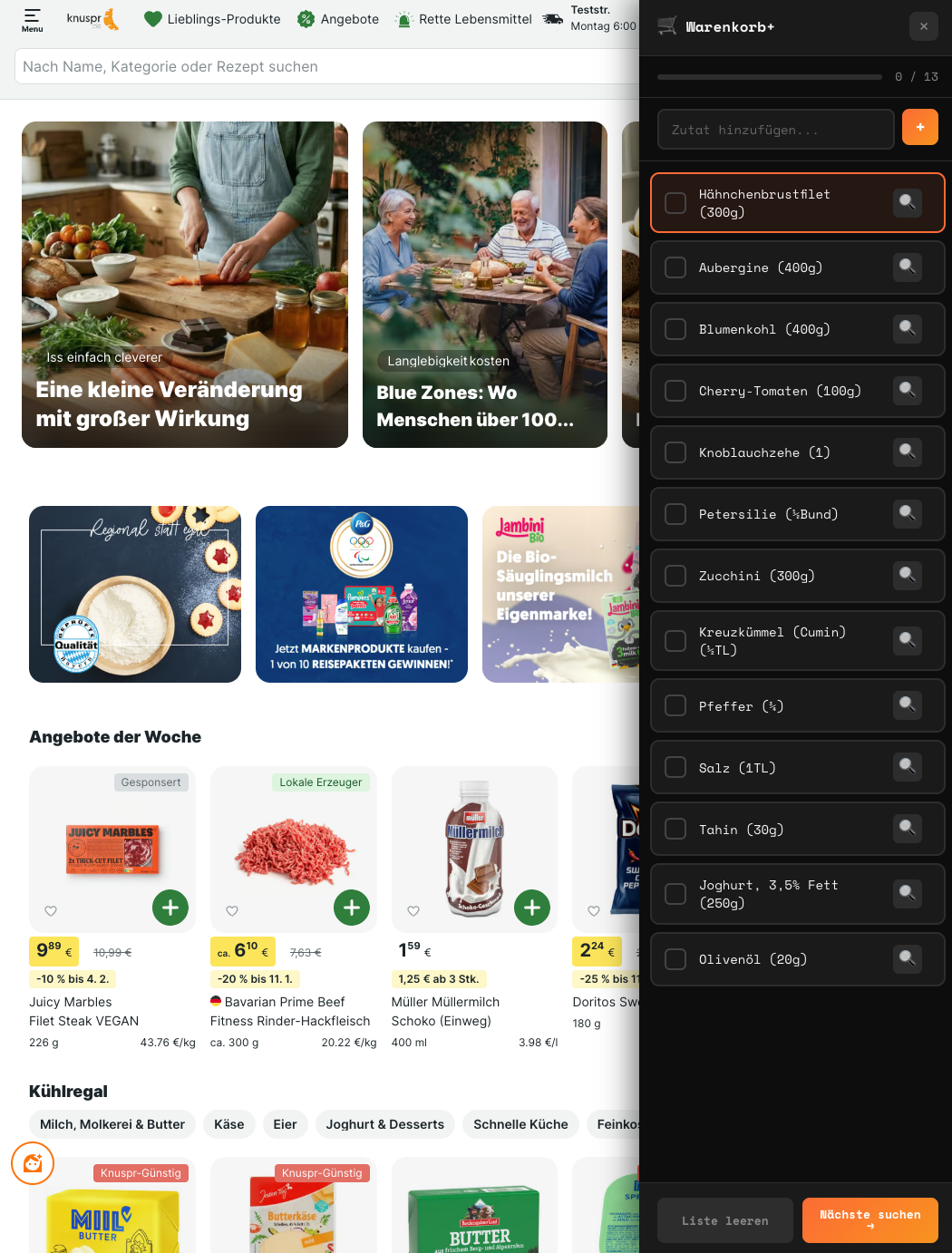
Knuspr with the extension’s grocery list sidebar
Now you are left with a full cart of your hand selected groceries but without the annoying task of switching between Knuspr and your grocery list for every item.
After tweaking it a little bit, I ended up with the extension I would like to share with you. During the build process I realized that I should not limit it to Knuspr. For testing purposes I added support for Rewe as well.
You can install the extension from the Chrome Web Store or via Firefox Add-On. The source code is on GitHub.